
Patent World
IP managers have to be able to understand patent and law related topics and discuss them in detail with the patent attorney, or propose argumentation for an office action.
Discover all features of Patent Cockpit here. For each feature you'll find a brief overview, a practical guide on how to use it effectively, and helpful tips for everyday work.
IP managers have to be able to understand patent and law related topics and discuss them in detail with the patent attorney, or propose argumentation for an office action.

But they also need to understand the products — how they function, how they evolve over time, and which market segments they serve, or which countries are important for those products. So it ranges from product management to R&D topics. And you have to understand the technology in depth to be able to see what can be patented, or whether the patent still holds for that product.
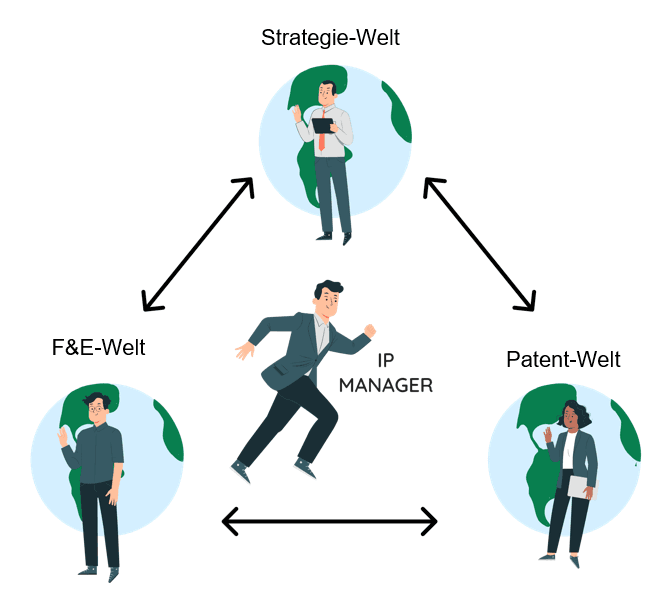
IP managers also need to be able to explain to their management what the costs are for, and how the IP portfolio is growing and creating value for the company.
Patent Cockpit was built to gather this information and present it in a useful way. The key is that everyone in the organization can truly understand the Entscheidungsgrundlagen — the basis for decisions — with the important insights always at hand and the option to display whichever data is needed at the moment. Patent Cockpit makes exactly that possible.
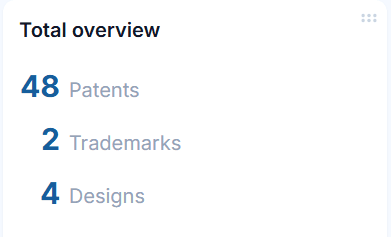
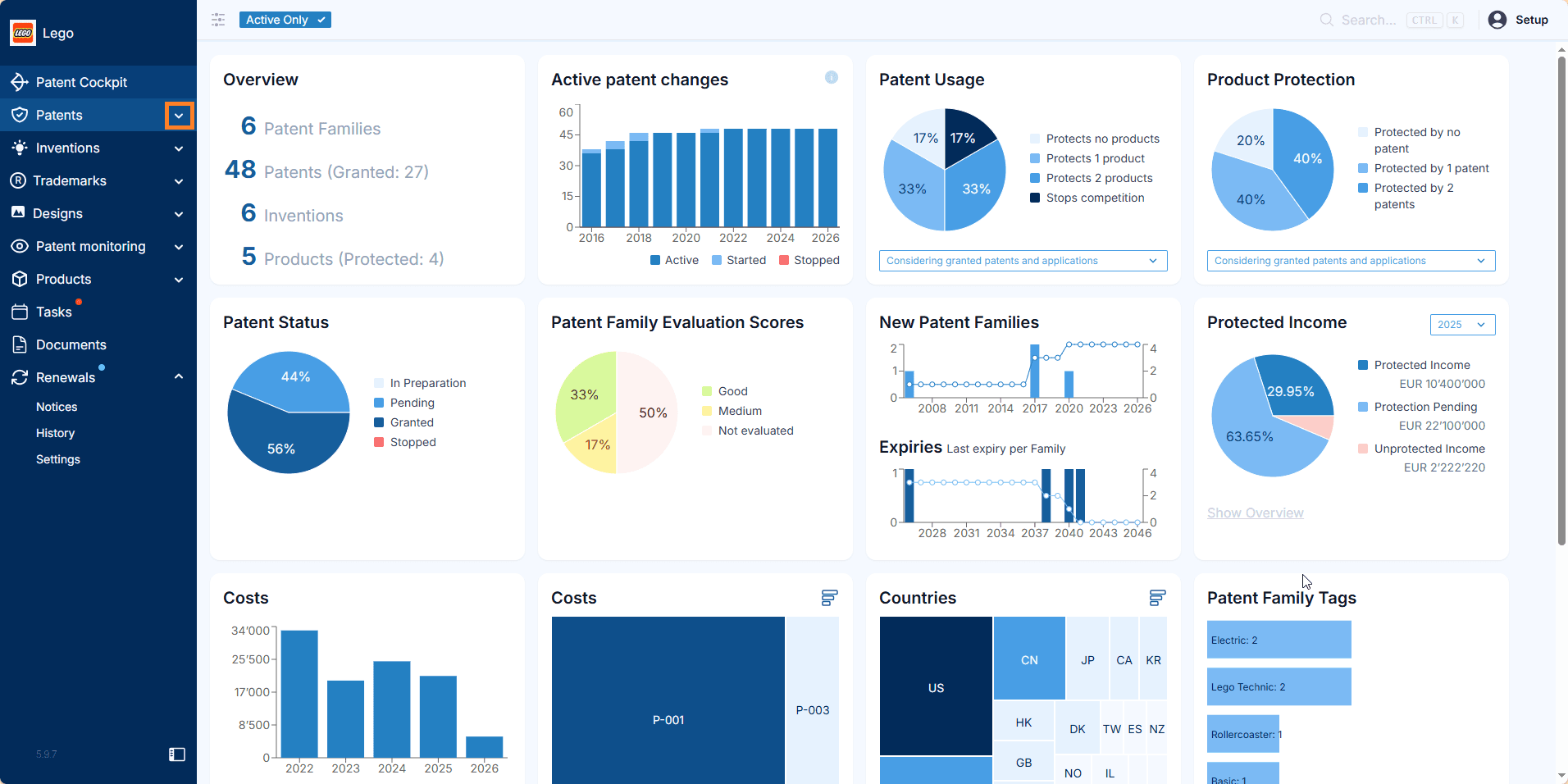
Patent Cockpit shows the IP rights that are currently in your portfolio.
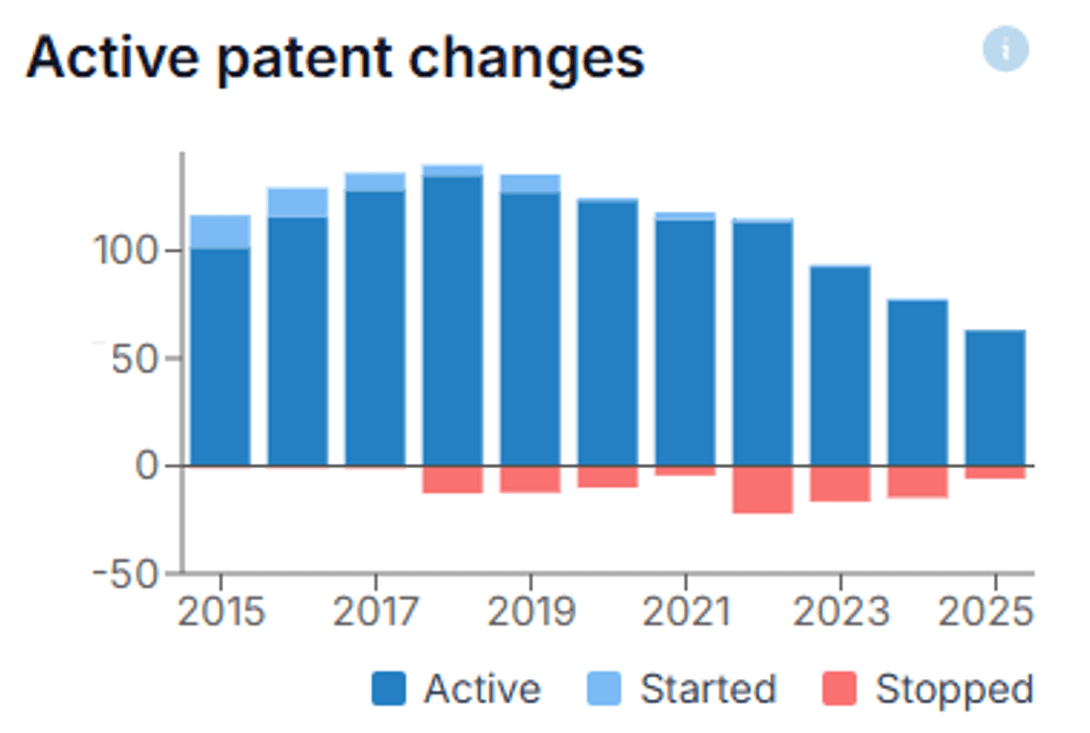
This chart shows how you arrived at your current portfolio — the new IP rights you filed, the ones you stopped, and the resulting portfolio.
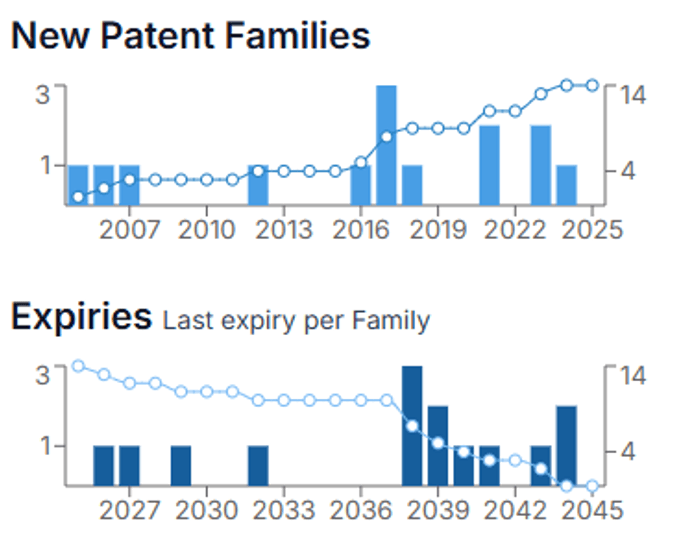
The new families chart shows when the new families were created (periods of high innovation) as well as the expiry dates of those families. The latter is, for example, critical when IP rights are licensed out or protect important products.
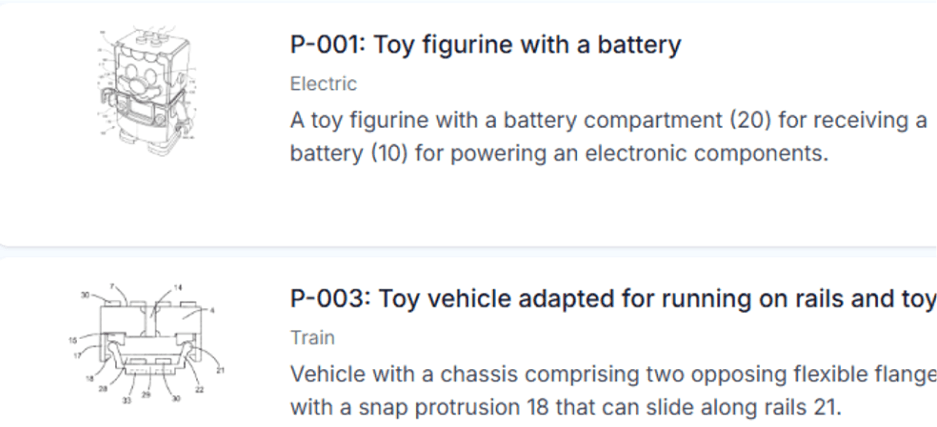
Decisions on nationalizations, renewal fee payments, evaluations, and use of resources depend on what is actually protected.
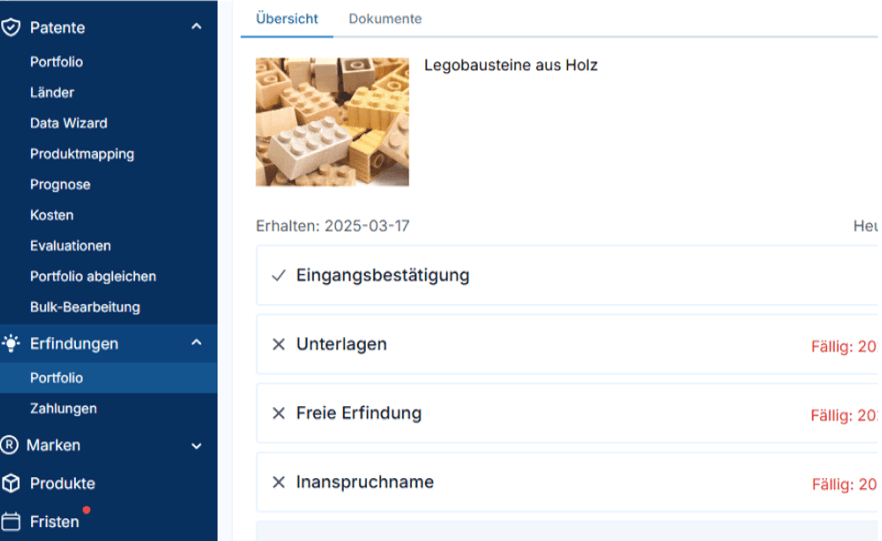
We work with a representative image and a concise summary that together explain the scope of protection of patents, trademarks, or designs.
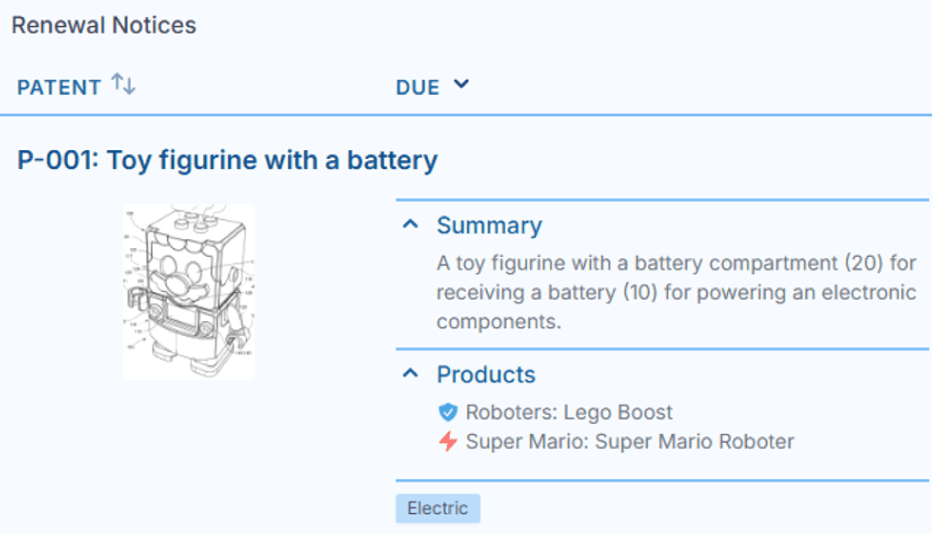
In this way anybody can understand the true protective scope in seconds, for example when taking decisions.
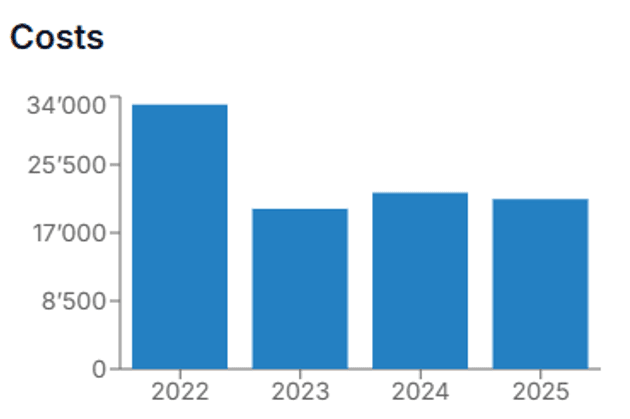
Record all IP-related costs and analyze by family, year, cost center, or other criteria to understand where the budget went.
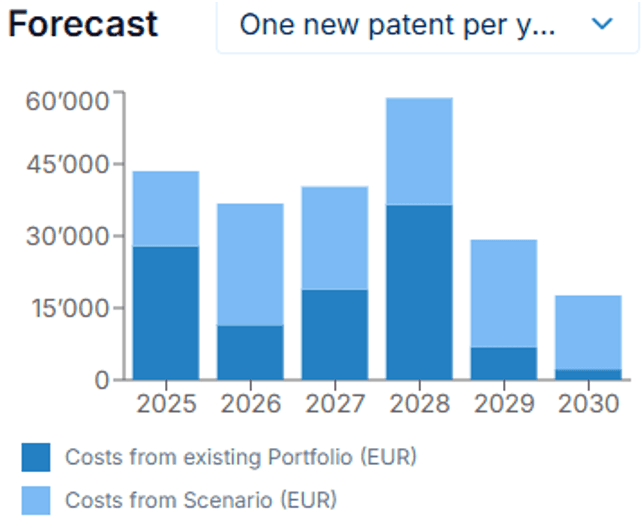
Patent Cockpit automatically forecasts your costs for the years ahead. Test different scenarios to see which one best serves your goals.
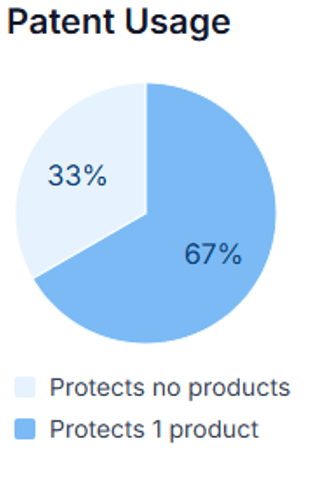
This chart shows how many of your patents are actually used.
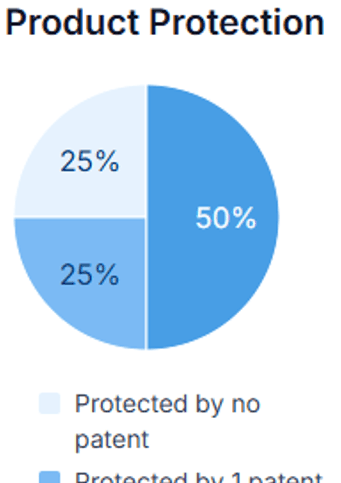
This chart shows how many of your patents are actually used.
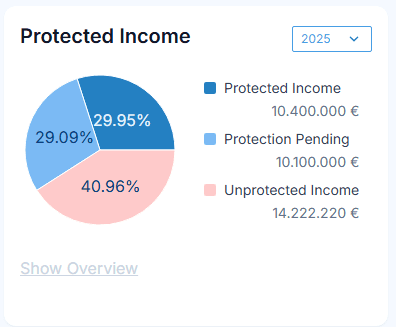
A more powerful assessment of how well patents are used is the income they protect.
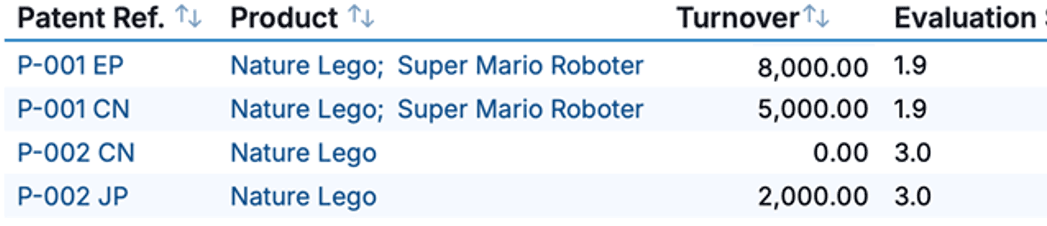
Combining an evaluation score with the protected turnover is a very good indication of the value of a patent.
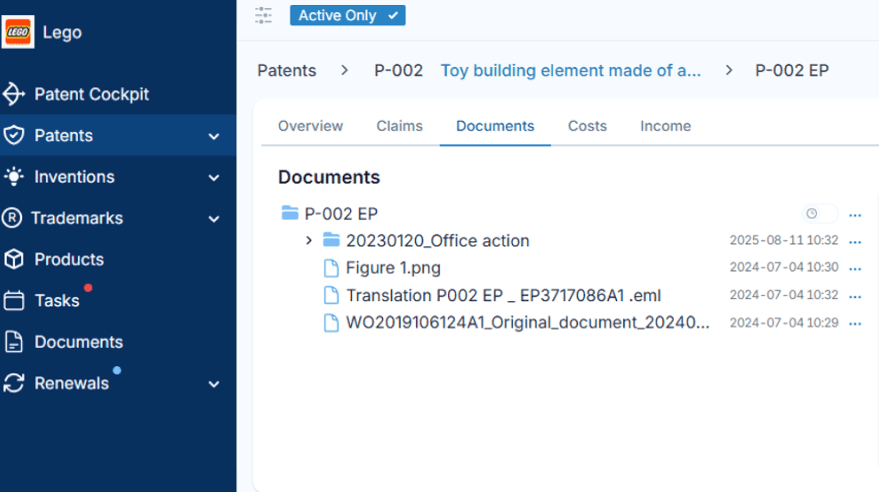
Patent Cockpit has integrated document storage and a powerful search function. Contracts, emails, drawings, and office actions can be imported with drag and drop.
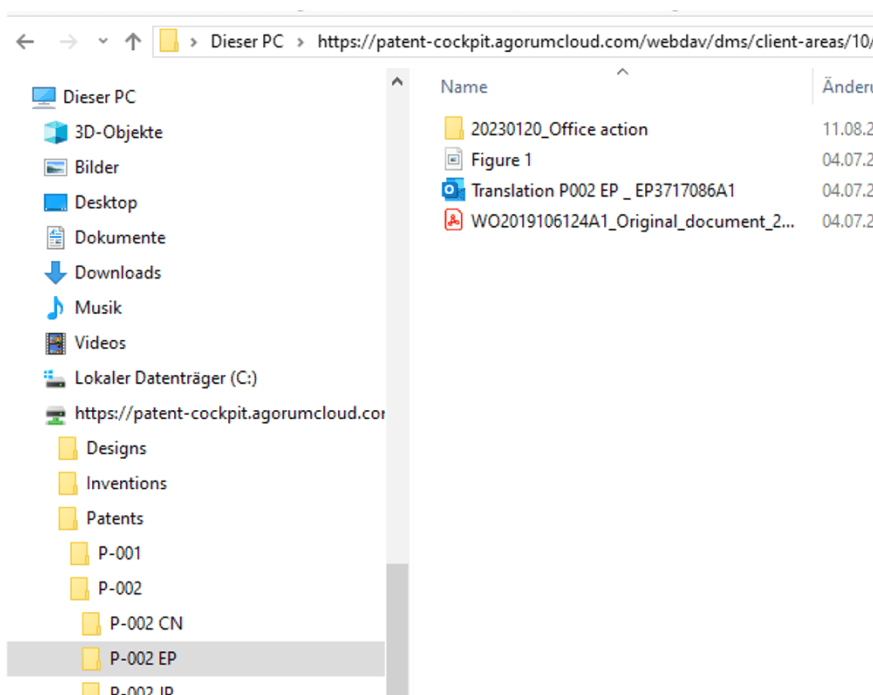
All documents are also accessible via Windows Explorer, so they can be opened, edited, and saved directly in Windows — no cumbersome check-in/check-out required.
Thanks to our partners (Dennemeyer and Patent Renewal), users typically save 100 EUR or more per maintenance fee by handling renewal fee payments directly inside Patent Cockpit. Book an appointment to learn how much you can save.
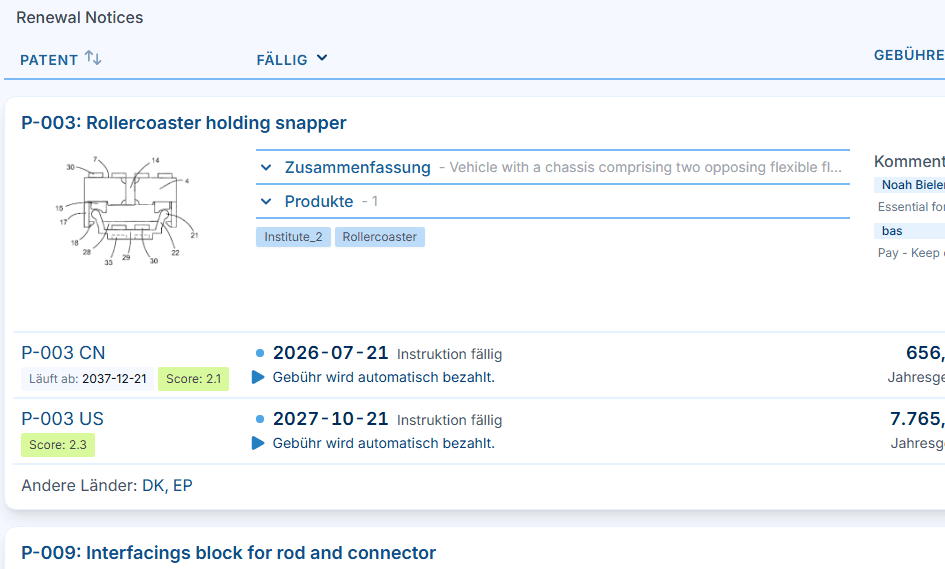
All the relevant information is displayed when decisions are made, leading to more sustainable decisions and cost savings.
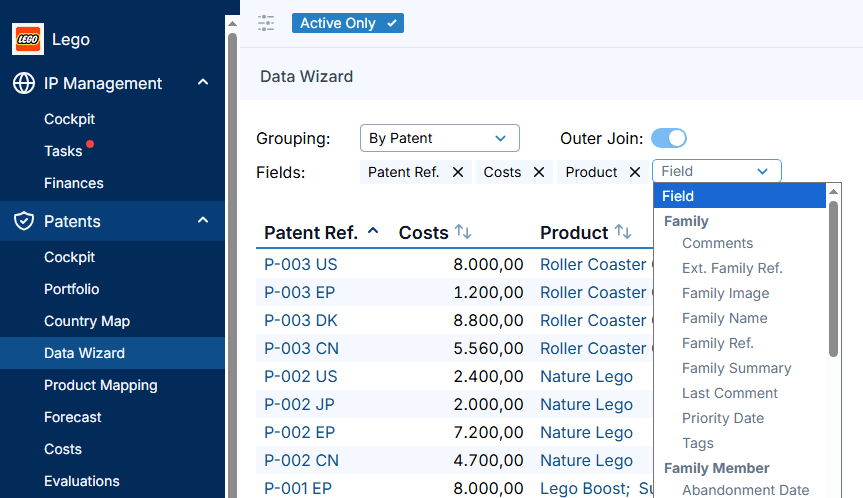
With our intuitive Data Wizard, you simply choose the fields and figures you want in your custom IP report. By applying a portfolio filter beforehand, you define precisely which IP rights, products, or business units the report covers — so every assessment reflects exactly the scope of your portfolio you need.
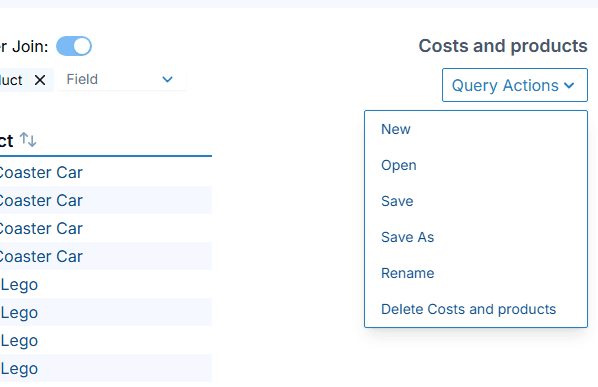
These assessments can be created and stored for later use, so you don't have to repeat the same tasks over and over again.
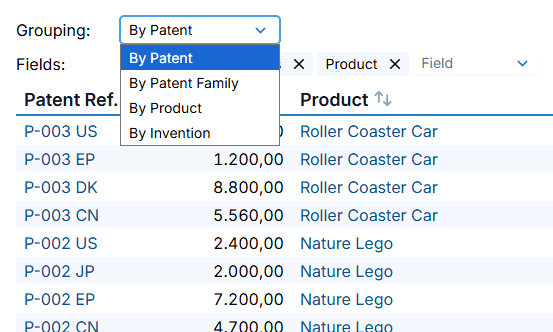
Data can be grouped by different categories depending on what you need. Grouping by product, for example, shows all data in relation to the products.
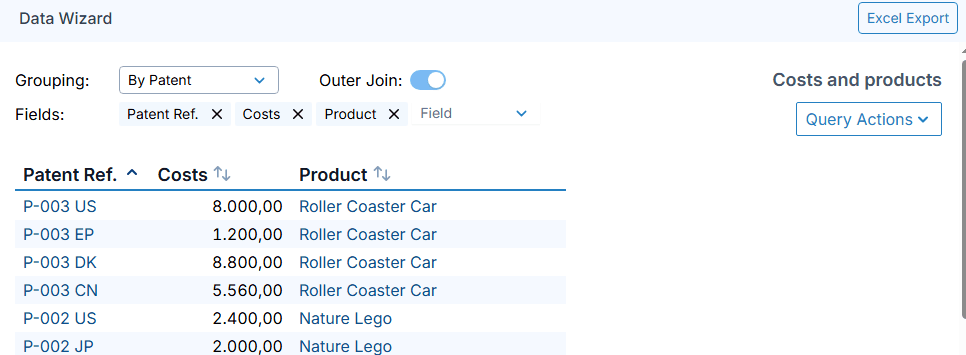
Once the assessment has been done, the results can be exported to Excel for further use or dissemination in the organization.
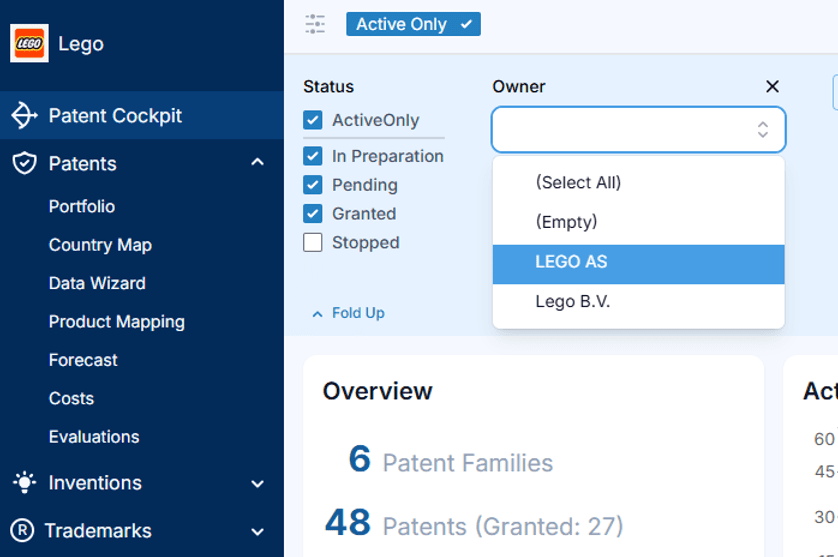
Reflect your organizational structure in the portfolio so each unit can see the IP that is relevant to them.
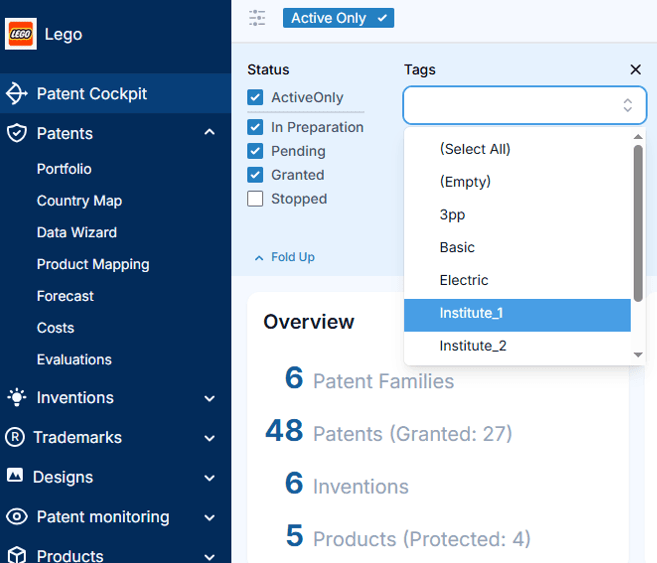
Use tags for cross-cutting topics — technologies, programs, strategic themes — that do not fit a single hierarchy.
Run costs, forecasts, and evaluations on any subgroup so decisions can be made at the right level.
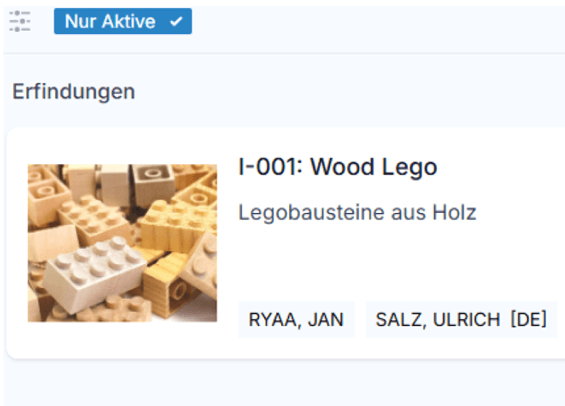
Capture invention disclosures with all the data needed for legal claiming, internal evaluation, and follow-up.
Calculate inventor compensation and participation shares, and keep the history of payments and decisions in one place.
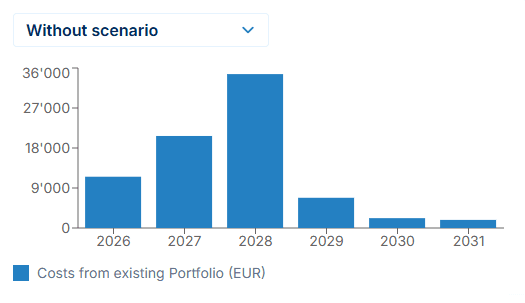
Patent Cockpit comes with an integrated forecasting tool. But since a significant part of IP management is about reacting to changing circumstances, a forecast alone is often not enough.
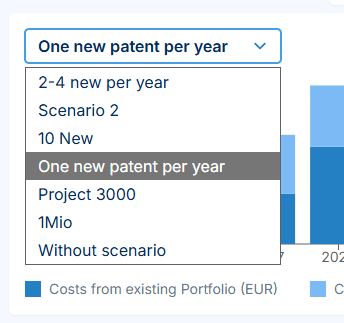
That is why users can define different scenarios and see how costs would develop under each of them over the coming years. Comparing scenarios helps you find the best way to save while keeping the best possible protection.
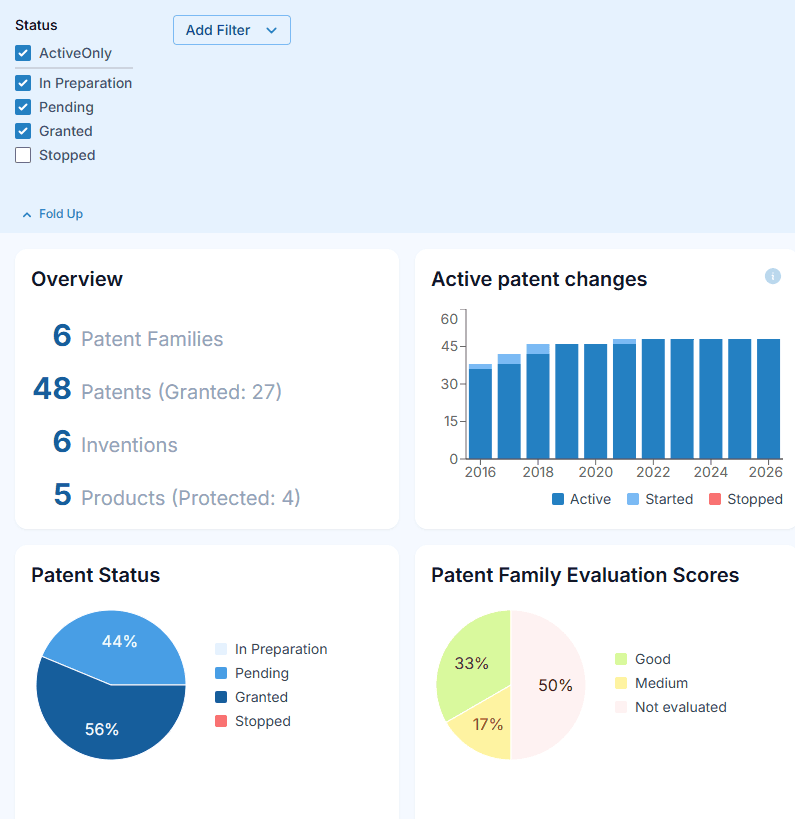
Patent Cockpit has an integrated filtering function, so that you can only work with the data that you need in that moment.
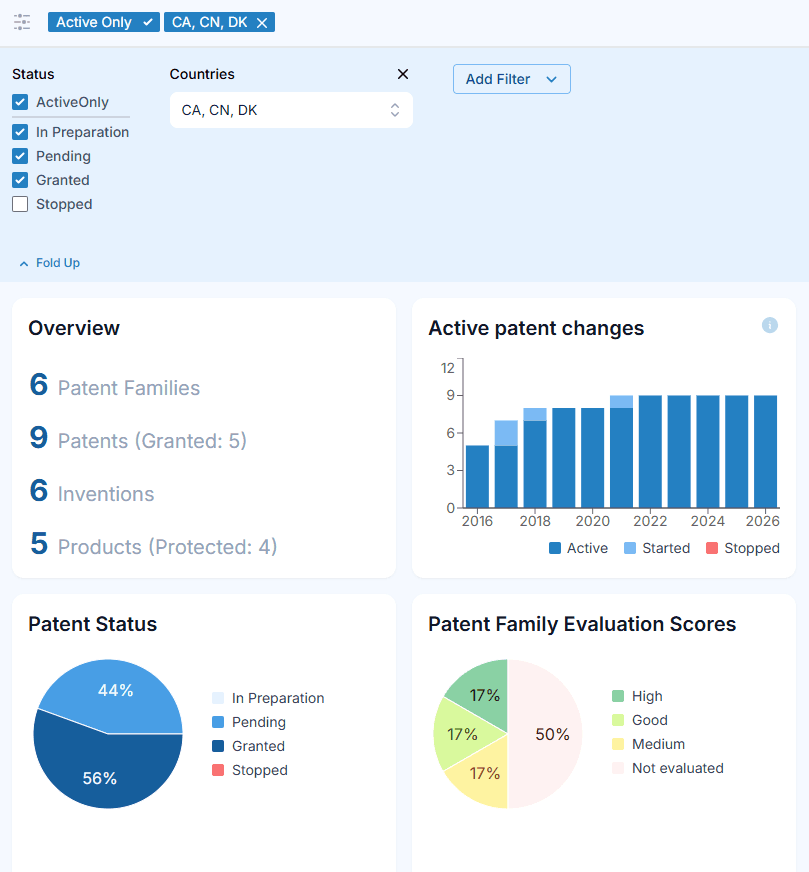
Choosing relevant countries will make Patent Cockpit work only with data from these countries.
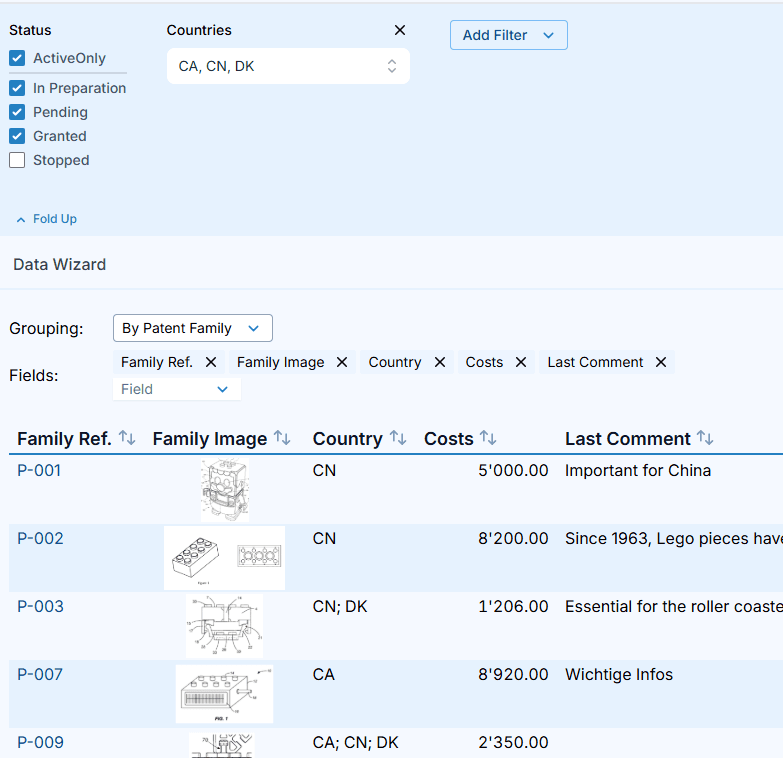
Wherever you go in Patent Cockpit, this filter will be applied. So your Cockpit charts will be up to date, as well as the data you select in your Data Wizard.
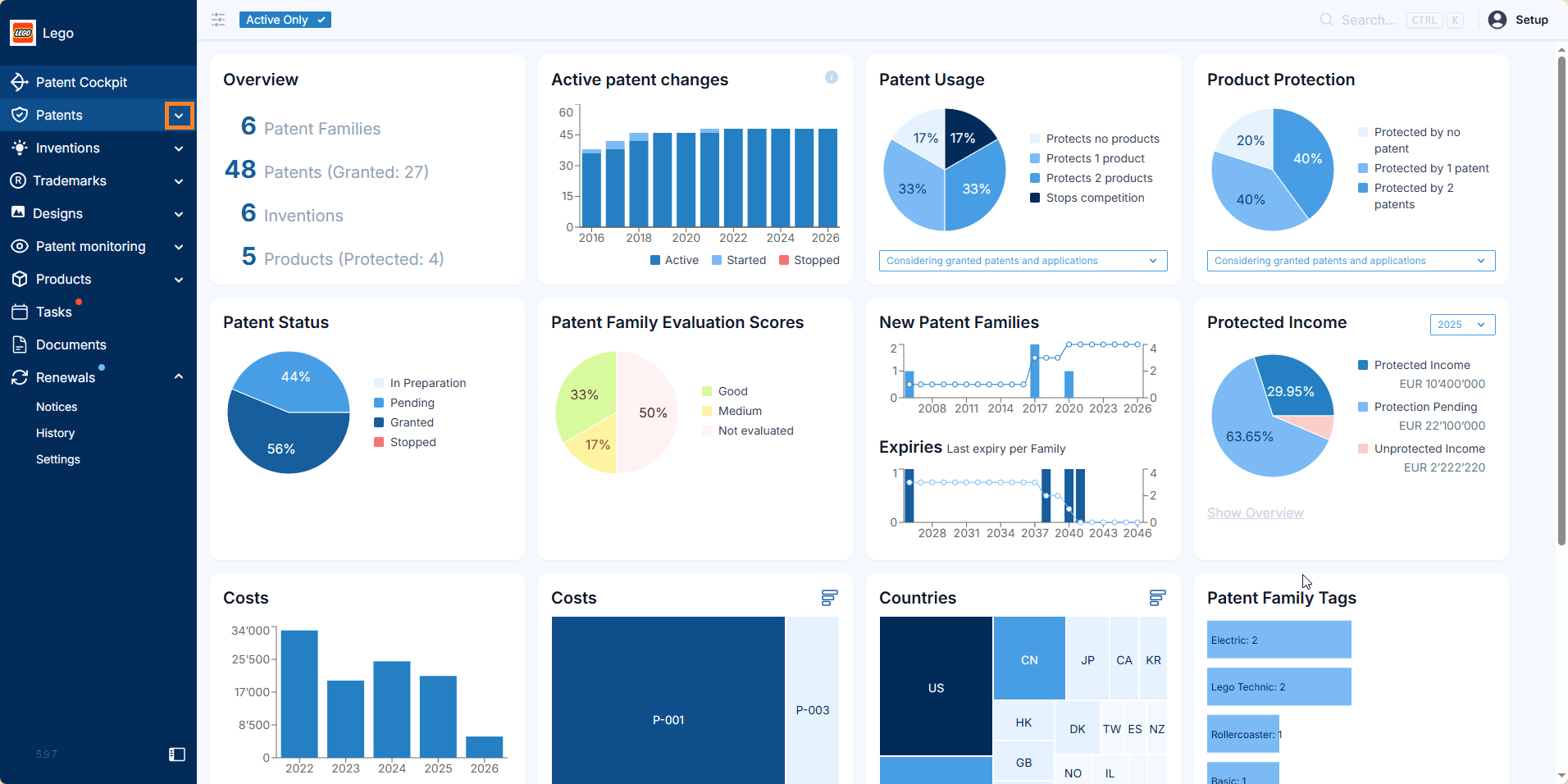
No onboarding is required. IP managers, assistants, R&D teams and business managers can use Patent Cockpit straight away.
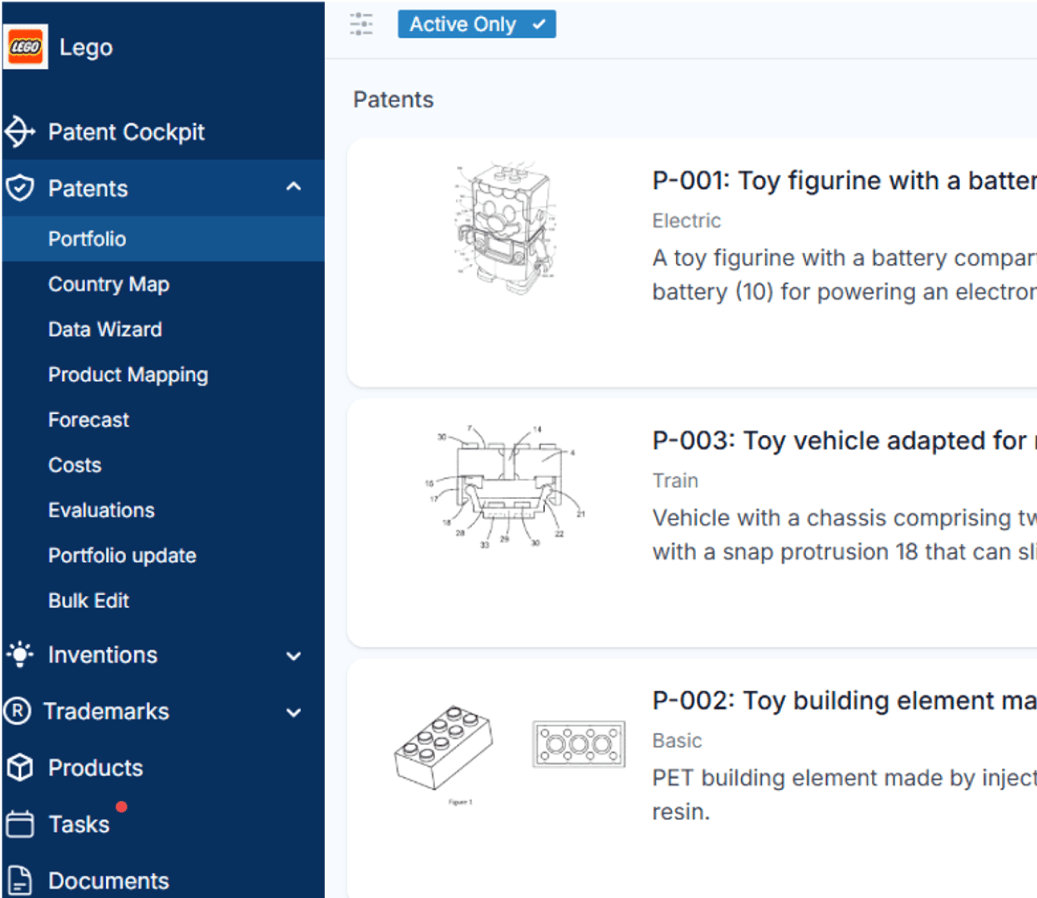
Patent Cockpit offers the functionality that IP managers need: portfolio overview, portfolio assessment tools, IP-to-product mapping, forecasts, and cost tracking.
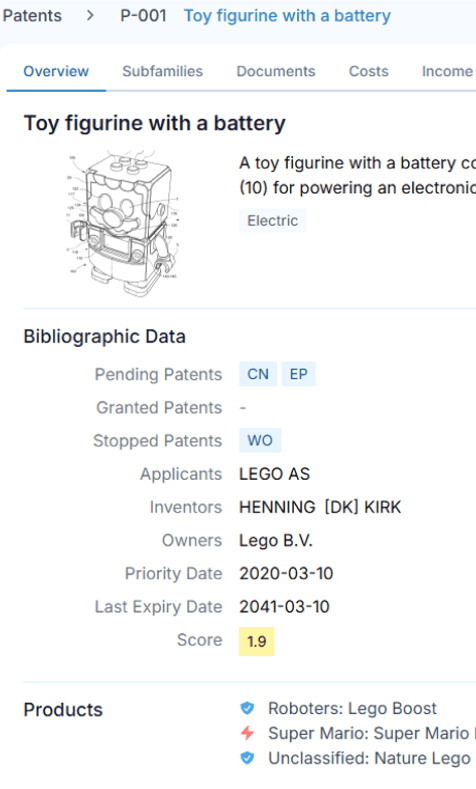
Open any IP right and the relevant context is right there: bibliographic data, documentation, costs, inventors, owners, expiry date, score, the products it protects, etc, etc.
We use cookies and other technologies (“tools”). With these, we read / save information on your terminal device and process your personal data.
If you give us your consent, we process this information and data for usage analysis and analytics. During this process, data is also passed on to external service providers. If personal data is transferred to third countries, there is a risk that authorities may access and evaluate this data and that your data subject rights cannot be enforced. By clicking on “Agree to all optional tools”, you give your express consent to the storage of information in the terminal device and to the processing of your personal data. This consent also includes the transfer to third countries. Your consent can be revoked at any time with effect for the future. Further details can be found in our Cookie Policy and our Privacy Policy.